Brainwashing: request
I forgot...
Settings:
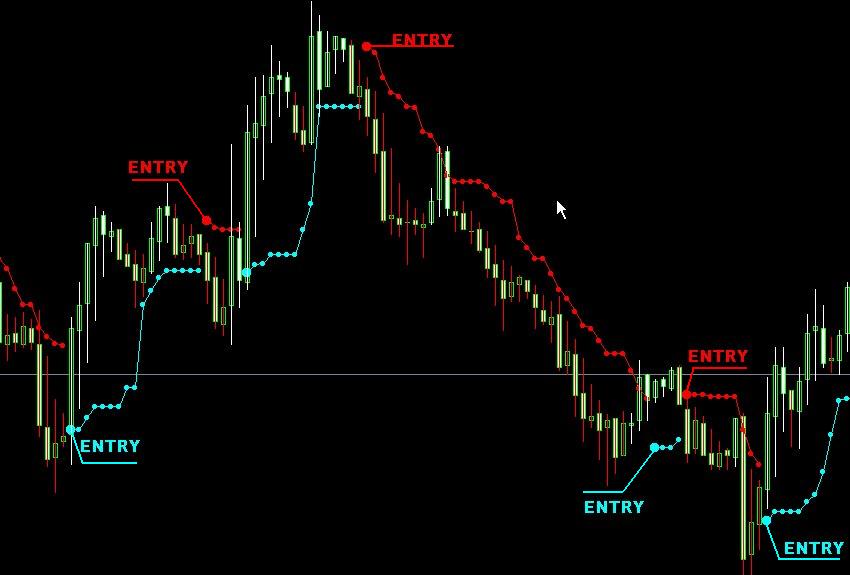
Enter in the large ball w/ SL 10 pips below of the Aqua Ball and and above of the Magenta Ball TP 80 or more and TS 20 .I use H1 time frame.
Cheers.
Hello,
very interesting this indicator, it is true that in EA would be excellent.
I have just set up it on the GBP Chart and one has good signals to validate manually.
Were the words "ENTRY" written afterwards or they are given by the indicator?
THX,
Hi ,
Really,this indicator is very good!
Hi,
I wrote "ENTRY" just to say where it's the entry point. 
Cheers
It would be necessary to find a programmer to make us a EA maintaining for valid 

i make EA NOW
ok have Finish the Name = Brainwashing v0.1
look Download Section in Forum
Alex,
Which timeframe and pairs may you suggest?
i will testing timeframe H1
and all pairs
please Testing and experminte
Bravo, i will try it (v2)

- Free trading apps
- Over 8,000 signals for copying
- Economic news for exploring financial markets
You agree to website policy and terms of use
Hi,
Anyone can convert this in EA?(only a EA based in this,no filter or another indicator)
I use this in the manual trade and i have excellent results.
See attachment file.
Thank You